
How Do I Activate and Check My PRISM+ Aircon Warranty and Maintenance?
Answers to the things customers ask most. Search for a keyword, or browse the list below to jump to your answer.
PRISM+ is the first company to introduce in app maintenance and direct bookings for your aircon general servicing.
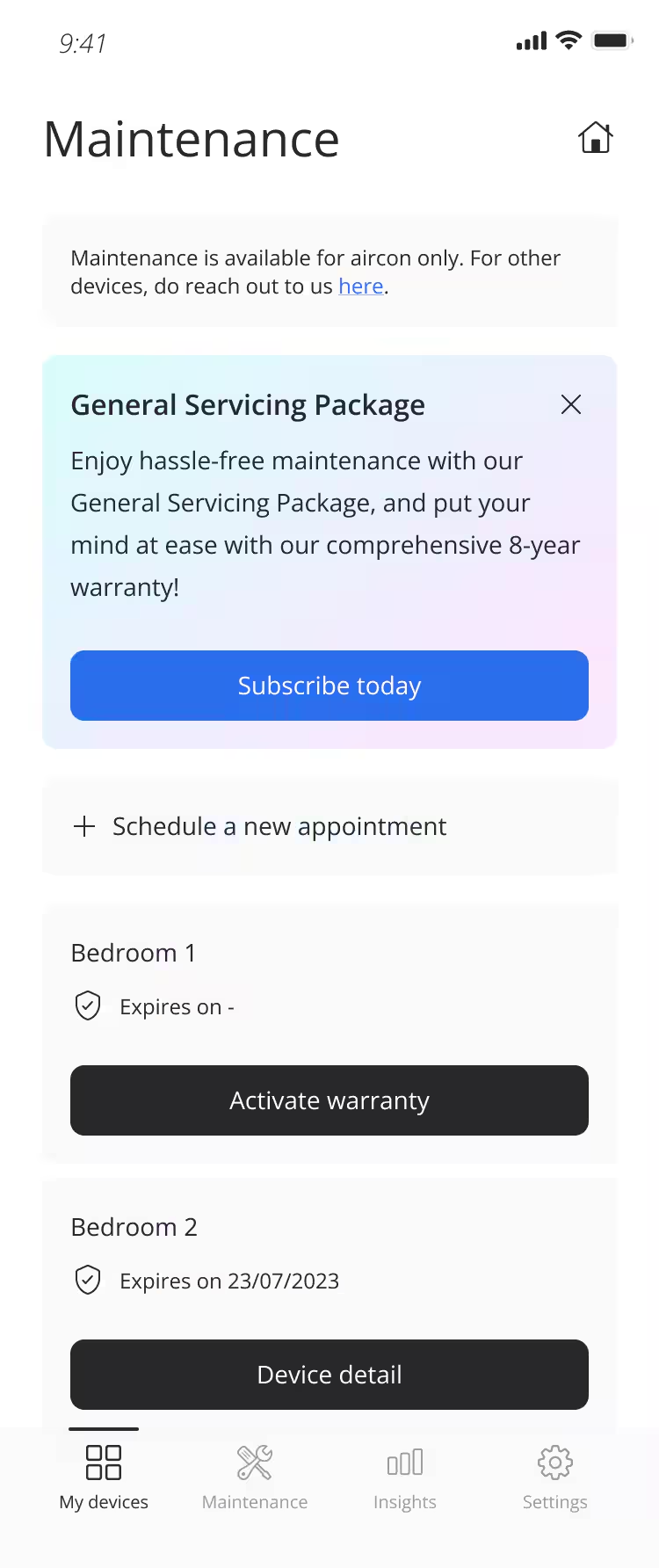
There are 4 main functions to our maintenance utility (as shown below):
- Purchase a General Servicing Package Subscription
- To access the "Maintenance" dashboard, tap on the "Maintenance" icon at the bottom navigation bar on the main dashboard.
- To subscribe to an aircon General Servicing Package, tap on “Subscribe today”, you will be directed to the PRISM+ Care website where you can purchase a package that suits your needs.
Schedule a new appointment
- To arrange for an aircon servicing appointment, please use the link provided and choose a preferred date and time.
- If your booking is successful, you will receive an SMS confirmation message within 1-3 minutes with your appointment details.
Track/view your standard or extended warranty period
Before You Start
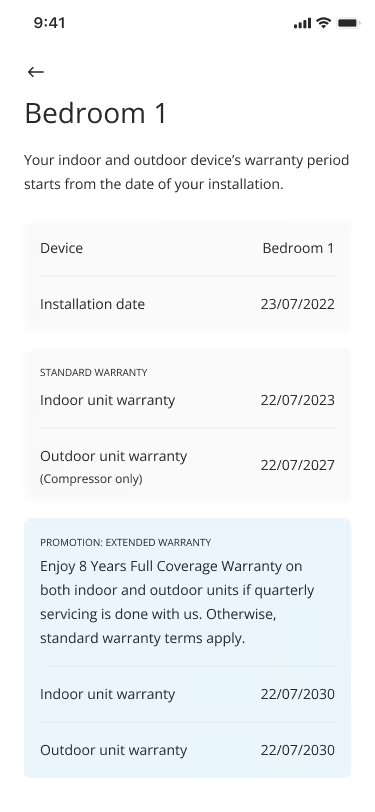
- Your PRISM+ Aircon warranty is based on the "Installation Date" of your aircon.
- Tap on "Activate Warranty" on each of your paired aircon devices to be directed to a screen where you will need to key in your aircon device's installation date.
- Once done, you will be able to view both your default standard warranty expiration date or your extended warranty expiration date.
- You may enjoy 8 Years Full Coverage Warranty on both indoor and outdoor units if quarterly servicing is done with PRISM+. Otherwise, standard warranty terms apply.
View your device detail
- You can check your device information on this page and view your warranty information.
Was this warranty-terms helpful?
Your feedback helps us improve every warranty-terms.Didn't find your answer?
No problem — send us the details below and a specialist will reply by email. Avg. response under 4 hours during business hours.