
This is the most common cause of remote control issues.
- Ensure the batteries are installed correctly
- Replace both batteries with new ones
- Do not mix old and new batteries
After replacing the batteries, test the remote again.
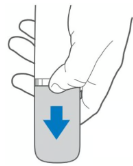
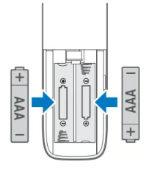
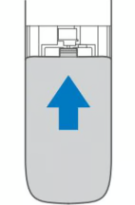
If your soundbar remote is not responding, the issue is usually caused by depleted batteries, incorrect remote usage, signal interference, or a temporary system issue.
Follow the checks below to get your remote working again.
This is the most common cause of remote control issues.
After replacing the batteries, test the remote again.
The remote requires a clear line of sight to the soundbar's receiver.
Make sure:
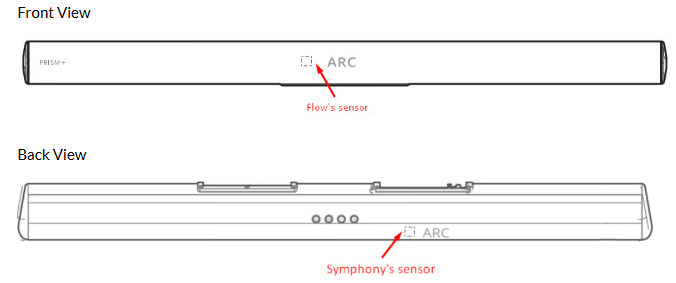
Nearby devices may occasionally interfere with the remote signal.
Try:
A temporary software issue may prevent the soundbar from responding.
Ensure:
✓ The power indicator is lit
✓ The soundbar is connected to a working power outlet
✓ The soundbar responds to physical buttons (if available)
**If the soundbar itself is not powering on, the issue may not be related to the remote.
Was this troubleshooting helpful?
Your feedback helps us improve every troubleshooting.No problem — send us the details below and a specialist will reply by email. Avg. response under 4 hours during business hours.