PRISM+
Support Center Beta
0 of 8 steps complete~8 min remaining

PRISM+ Smart Locks application introduction

PRISM+ Support teamUpdated 30 July 2026~8 min remaining8 steps

Steps

  1. 1
    1 min

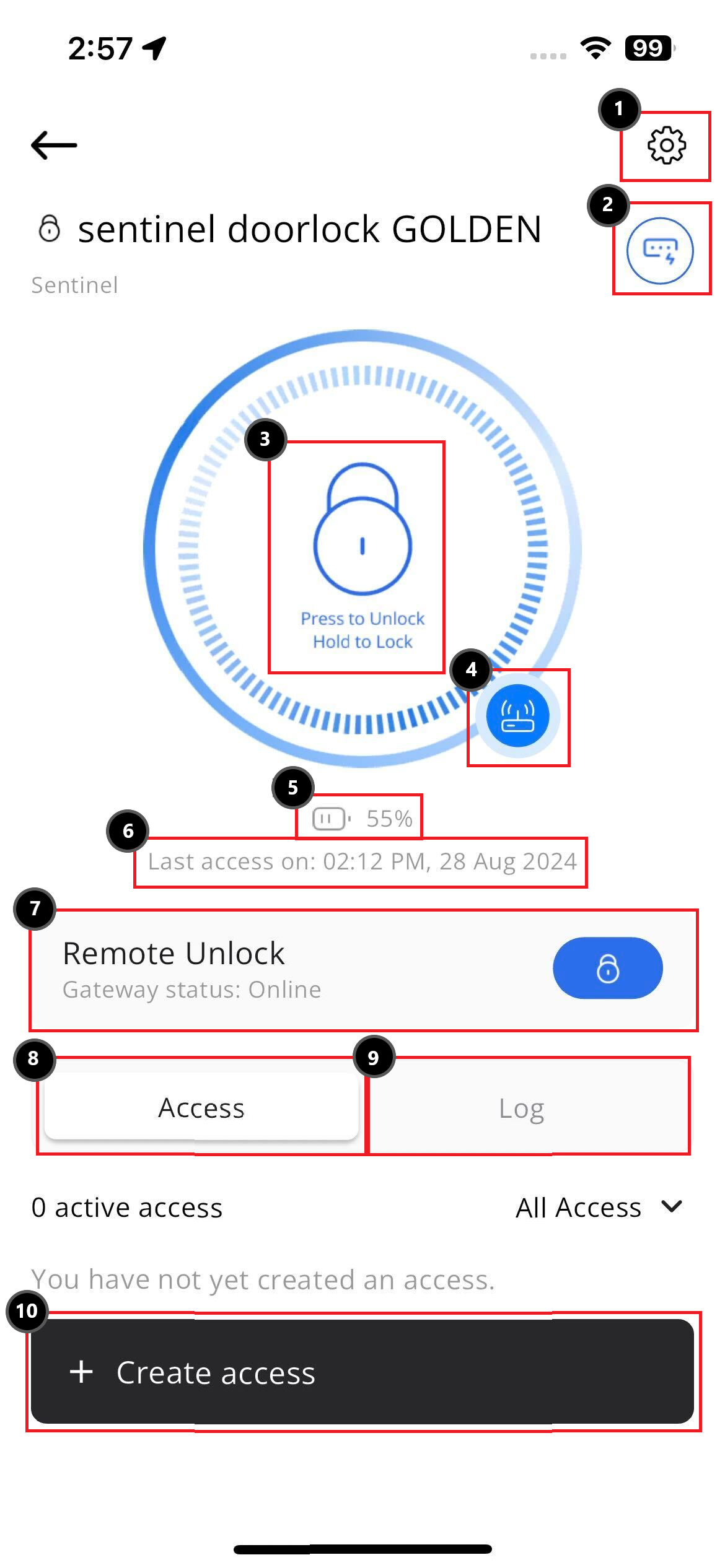
    Door Lock Settings

    • Lock Settings
      • Advanced settings that allow users to configure options such as 'Allow Remote Unlock', 'Auto Timer', 'Volume', 'Admin Passcode', 'Door Opening Identifier', and a unique location identifier code.
    • Geofencing
      • Option to enable automatic unlocking of your door upon your return home.
    • Alerts & Reminders
      • Options to enable device tamper alert and forced door opening alert.
    • Edit Device
      • Allows you to change the device name and location, and also provides an option to delete the current device.
    • Gateway
      • To add, edit or delete gateway entry.
    • Share Device
      • Share device with other users to give them access to control the device via the app and track its usage.
    • Update Device
      • For checking latest updates, firmware version, hardware version and option to allow app auto update.
  2. 2
    1 min

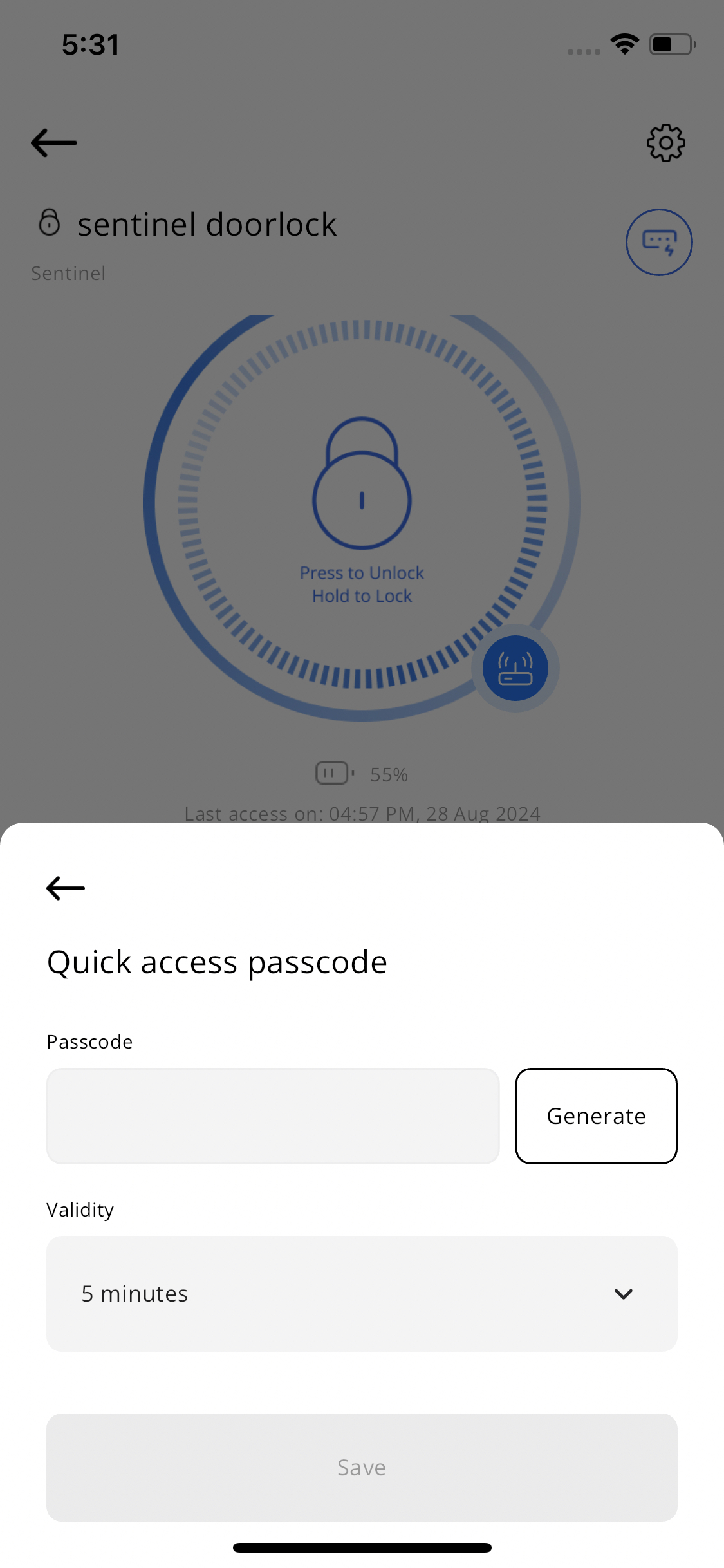
    Door lock quick access


    This button allows the uer to generate a temporary password with a validity period based on their selection. Once the time expires, the PIN code will no longer be valid.

  3. 3
    1 min

    Tap to unlock/lock the respective smart lock.
    *This can also be used to unlock the lock when the lock is in lockdown mode.*

  4. 4
    1 min

    Indicator to show whether the Wi-Fi Gateway is connected.


    Blue = Connected to a Wi-Fi Gateway
    Grey = Not connected to any Wi-Fi Gateway

  5. 5
    1 min

    Indicator to show your current battery health.


    Above 75% = Healthy
    Below 50% = Take Note
    Below 25% = Please Charge Battery

  6. 6
    1 min

    Indicator to show your smart lock last access time and date.

  7. 7
    1 min

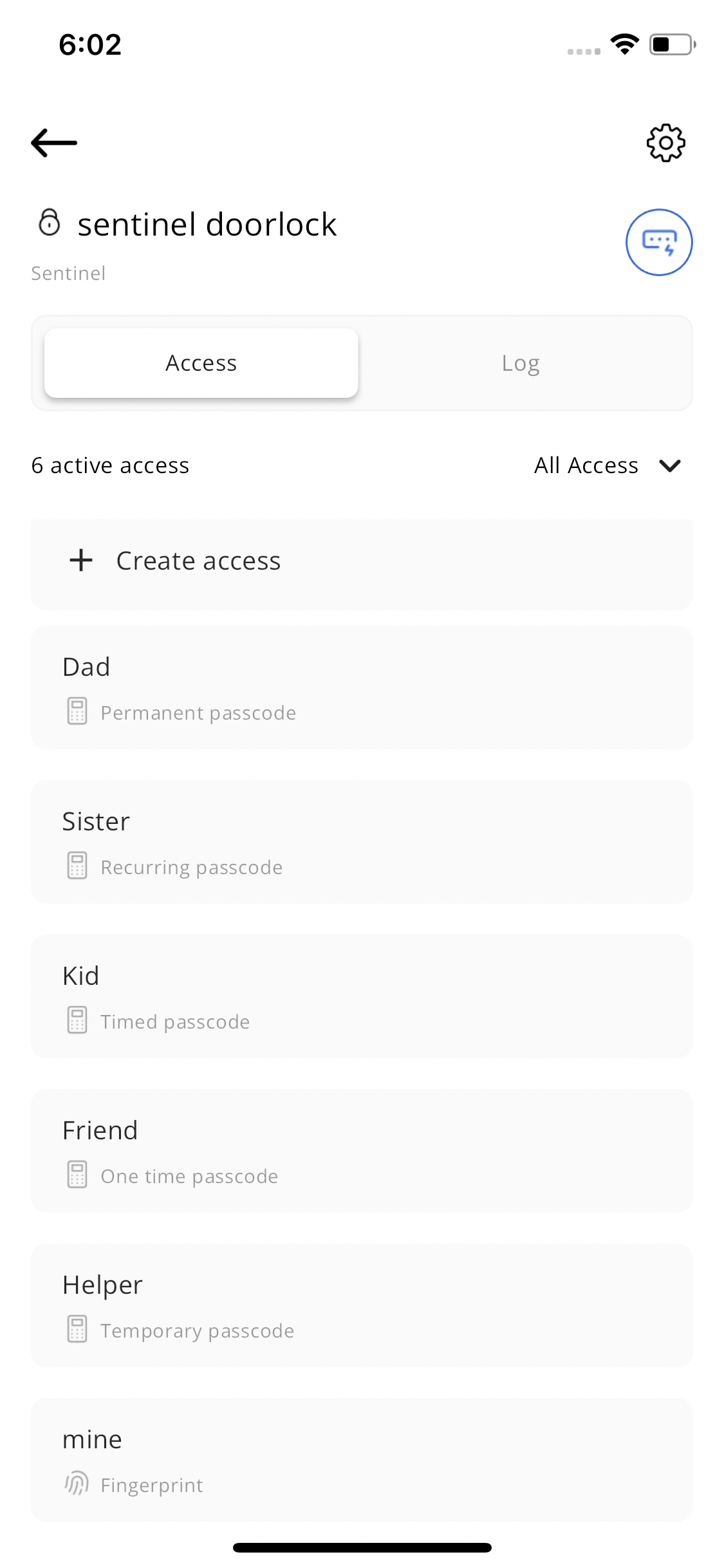
    Door lock types of access


    List of access types set up on the smart lock, along with the last access information.

  8. 8
    1 min

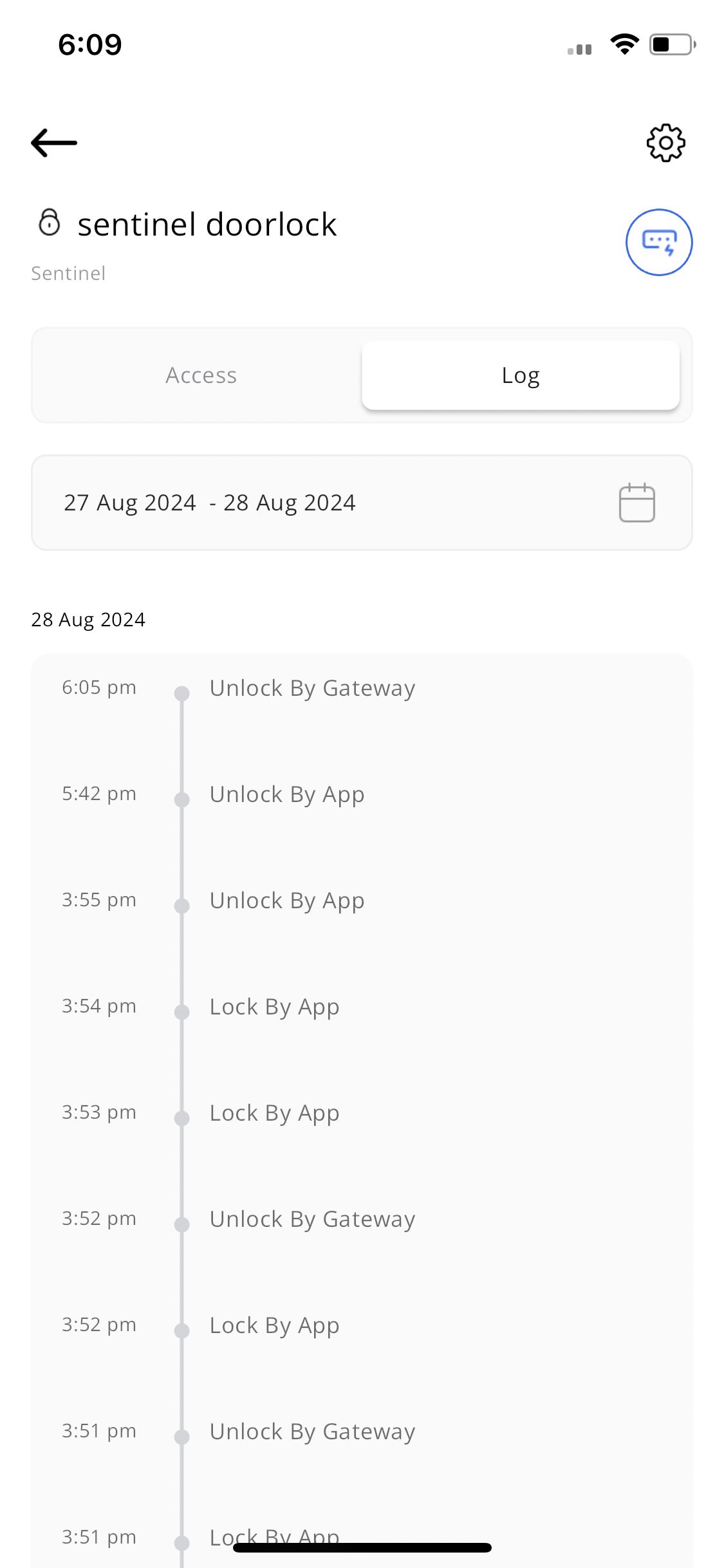
    Door lock logs


    Logs displaying every action related to the smart lock, including how it was locked or unlocked.
    *Users can also filter the logs by date to review specific times.*

Didn't find your answer?

No problem — send us the details below and a specialist will reply by email. Avg. response under 4 hours during business hours.