
1 min
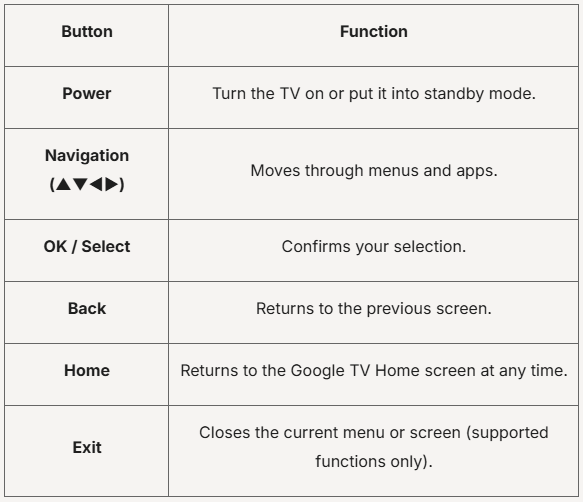
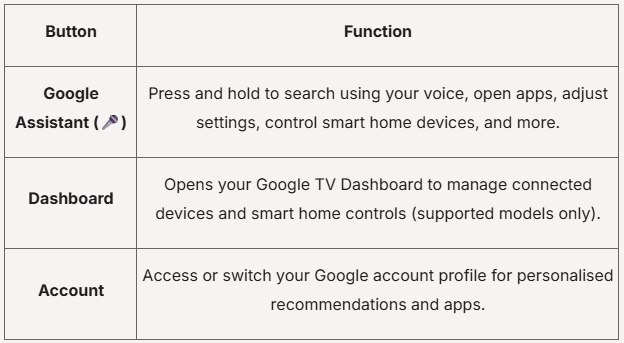
Tip: Try saying:
• "Open YouTube"
• "Play action movies"
• "Increase the volume"
• "What's the weather today?"
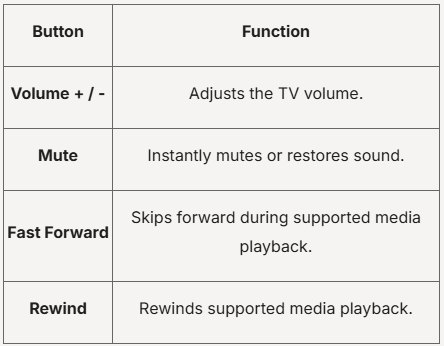
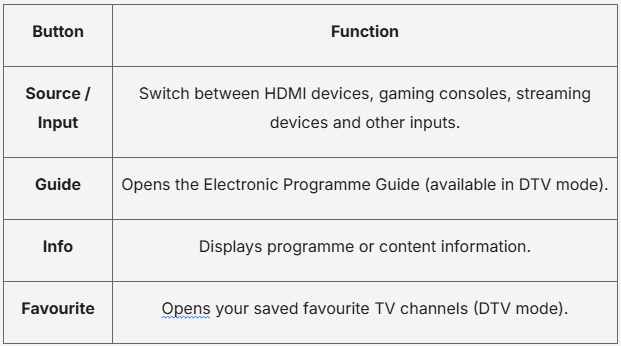
Your remote includes dedicated shortcut buttons for selected streaming services.
Simply press a shortcut button to launch the corresponding app instantly.
Examples may include:
Note: Available shortcut buttons may vary depending on your TV model and region.
Was this guide helpful?
Your feedback helps us improve every guide.No problem — send us the details below and a specialist will reply by email. Avg. response under 4 hours during business hours.