
From the Google TV Home screen:
Settings (⚙️) → Inputs
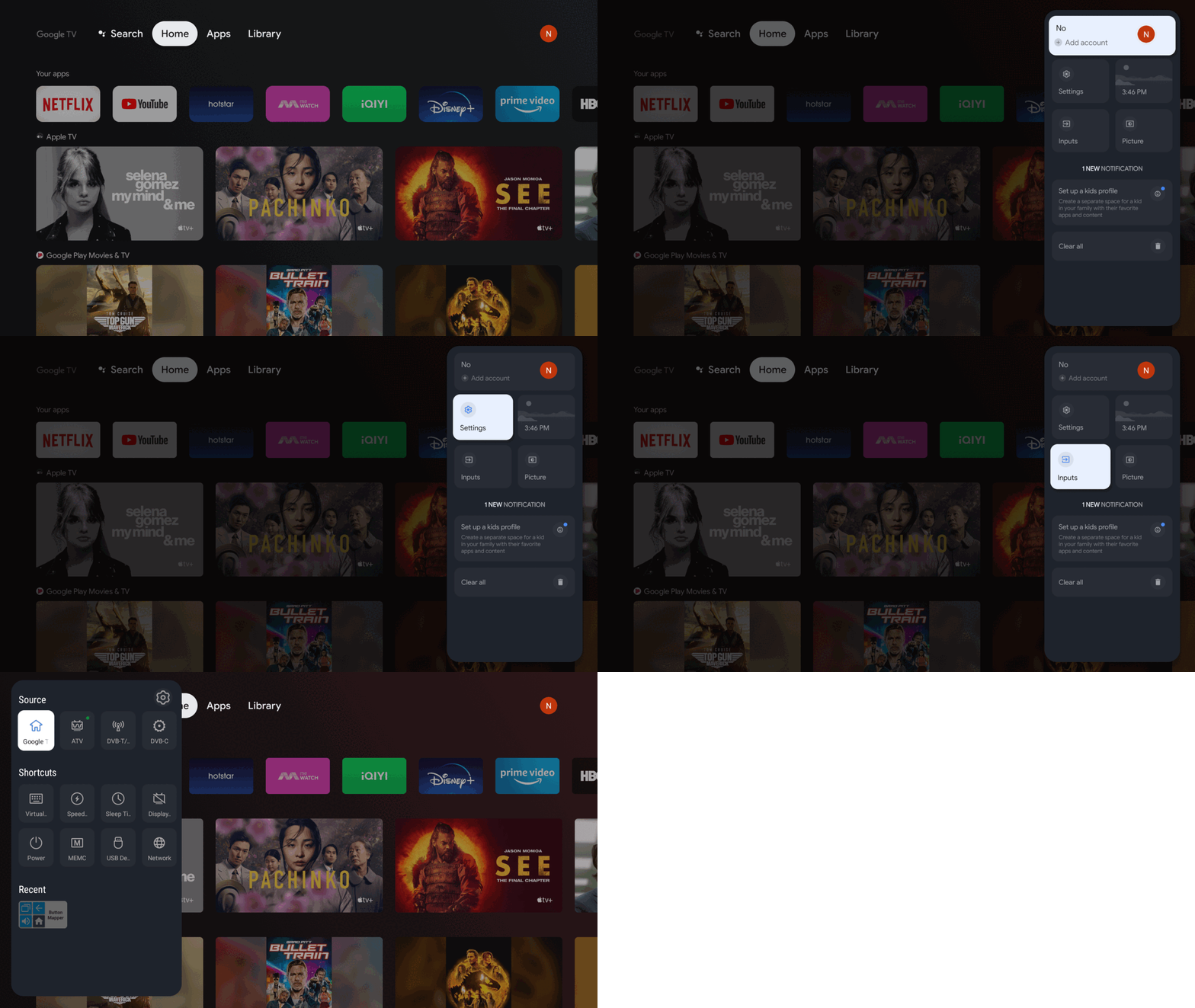
Please ensure:
Your TV antenna cable is securely connected to the ANT IN port on the back of the TV.
Your antenna supports digital TV (DVB-T2) broadcasts.
The antenna is positioned where it can receive a good signal.
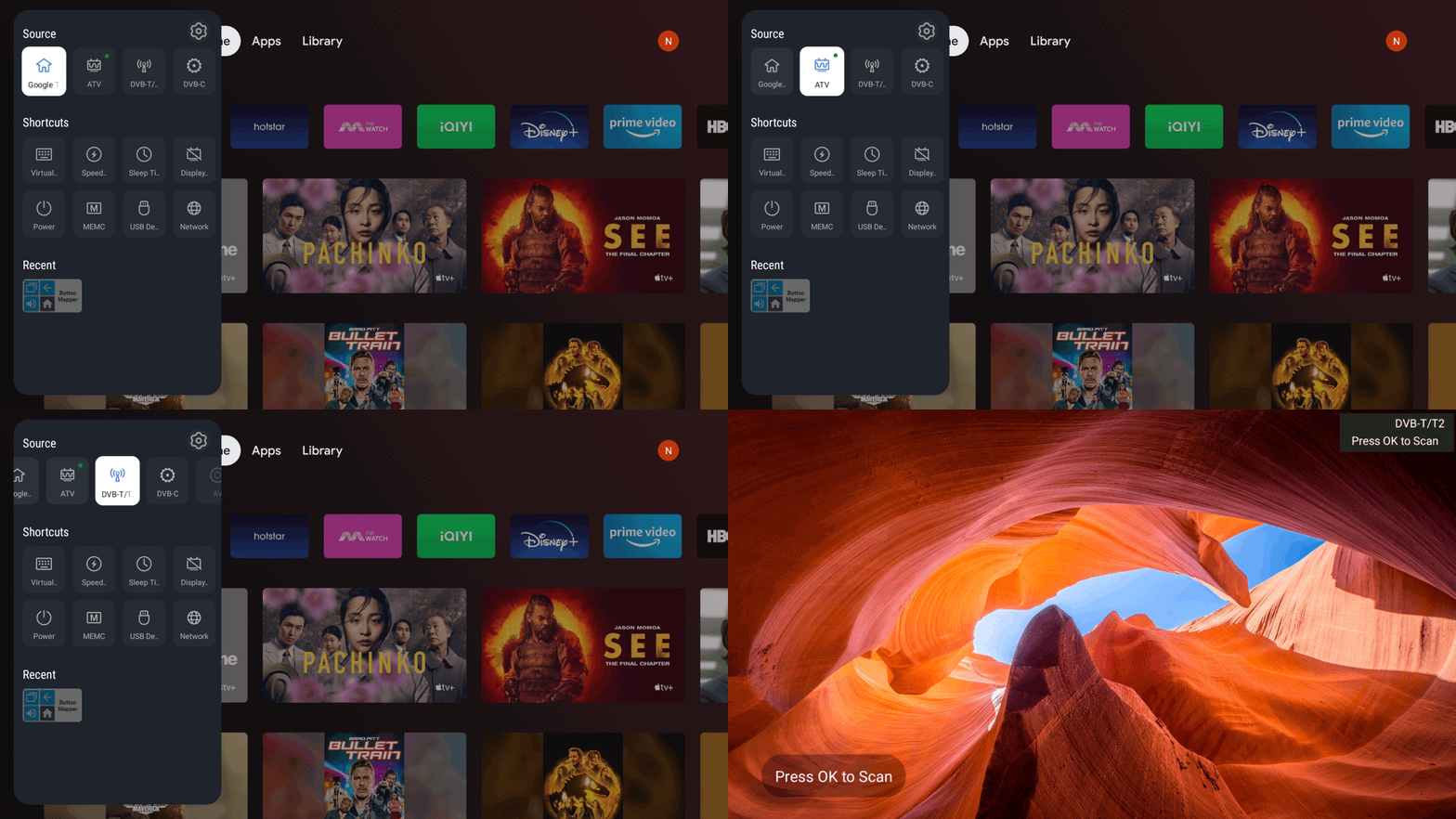
From the Google TV Home screen:
Settings (⚙️) → Inputs
Select:
"DTV-T/T2" source
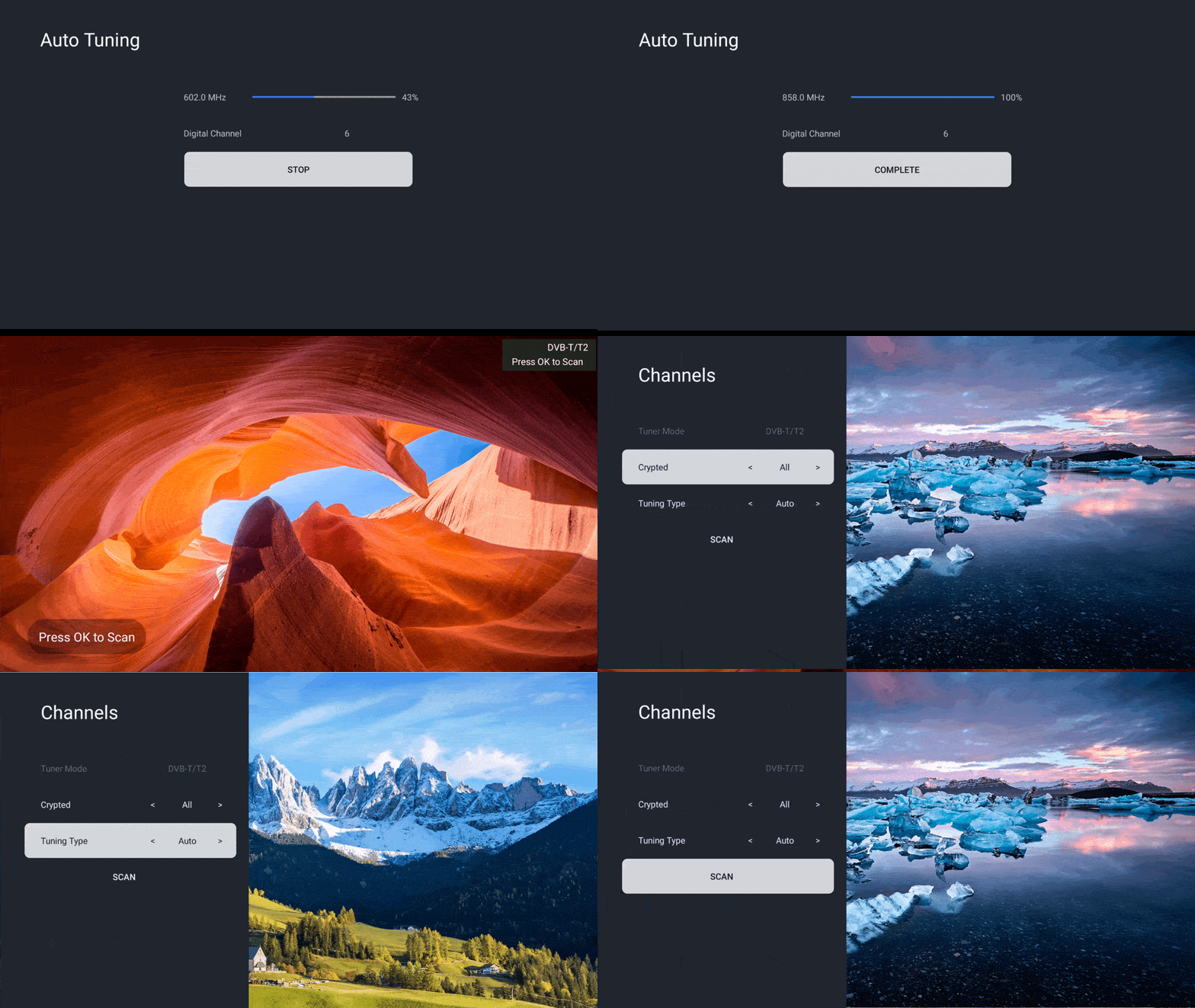
If the tuning is unsuccessful (e.g. less than 6 channel were detected), attempt to reposition your antenna onto a more optimal position and follow step 2 to re-scan the channels again.
Was this guide helpful?
Your feedback helps us improve every guide.No problem — send us the details below and a specialist will reply by email. Avg. response under 4 hours during business hours.