
Enabling Dolby Atmos on my soundbar
Answers to the things customers ask most. Search for a keyword, or browse the list below to jump to your answer.
All PRISM+ soundbars come with Dolby Atmos technology built-in. It should work automatically when you play Atmos-supported content.
If you feel Dolby Atmos is not enabled, even when streaming a video that supports it, try these steps:
Step 1: Plug the HDMI cable into the soundbar’s “TV eARC/ARC” port.
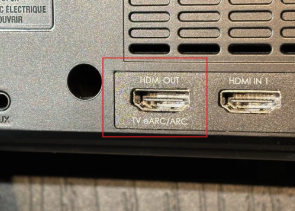
Step 2: Connect the other end of the HDMI cable into your TV’s HDMI port.
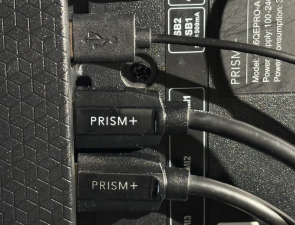
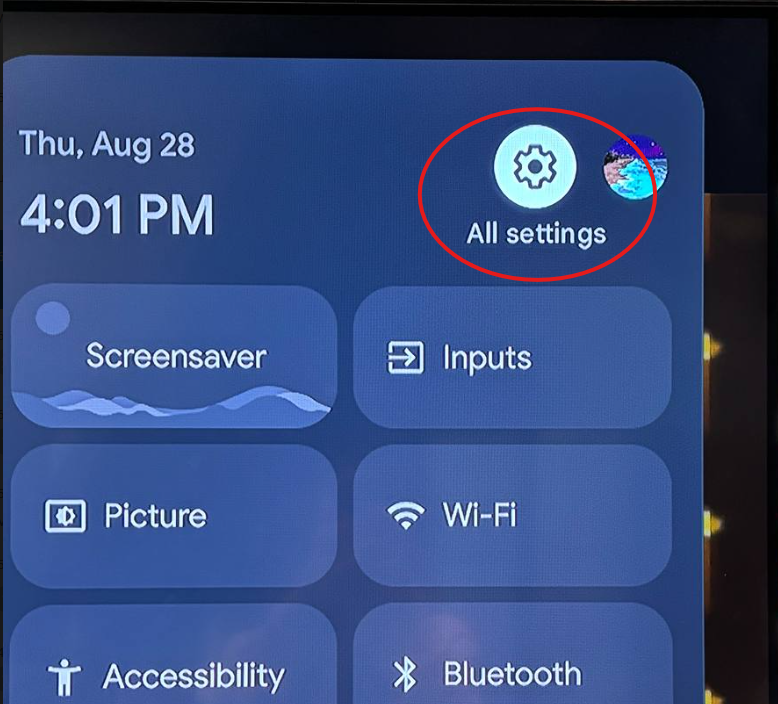
Step 3: Turn on your TV. The soundbar should power on at the same time. Go to your TV’s “All Settings”.
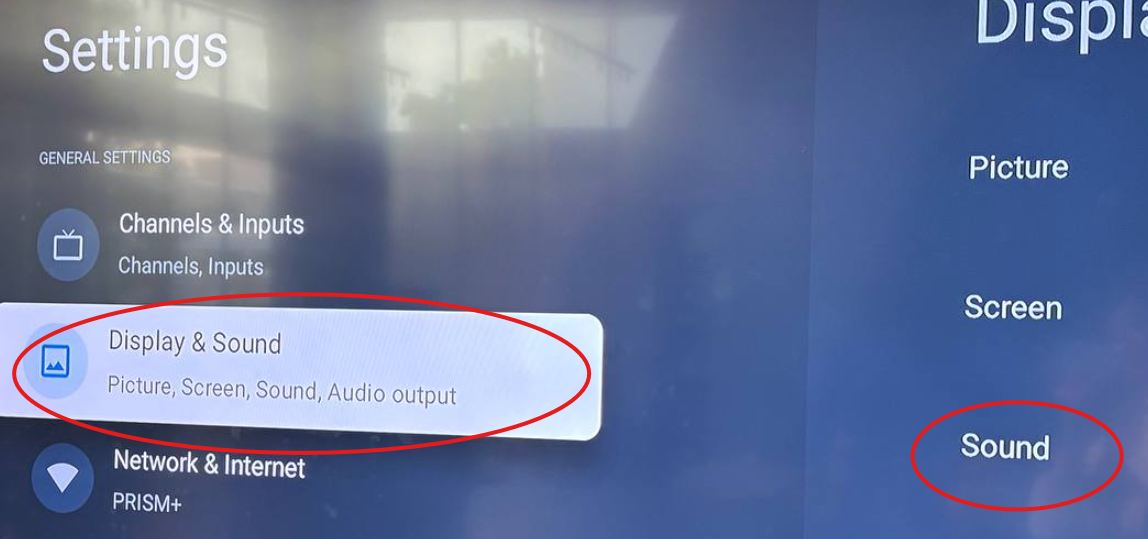
Step 4: Select “Display & Sound” > “Sound”.
Step 5: Choose either “Dolby Digital” or “Dolby Digital Plus” depending on which you like.
(Dolby Digital Plus is a newer, clearer version of Dolby Digital, but some streaming apps only support the regular Dolby Digital.)
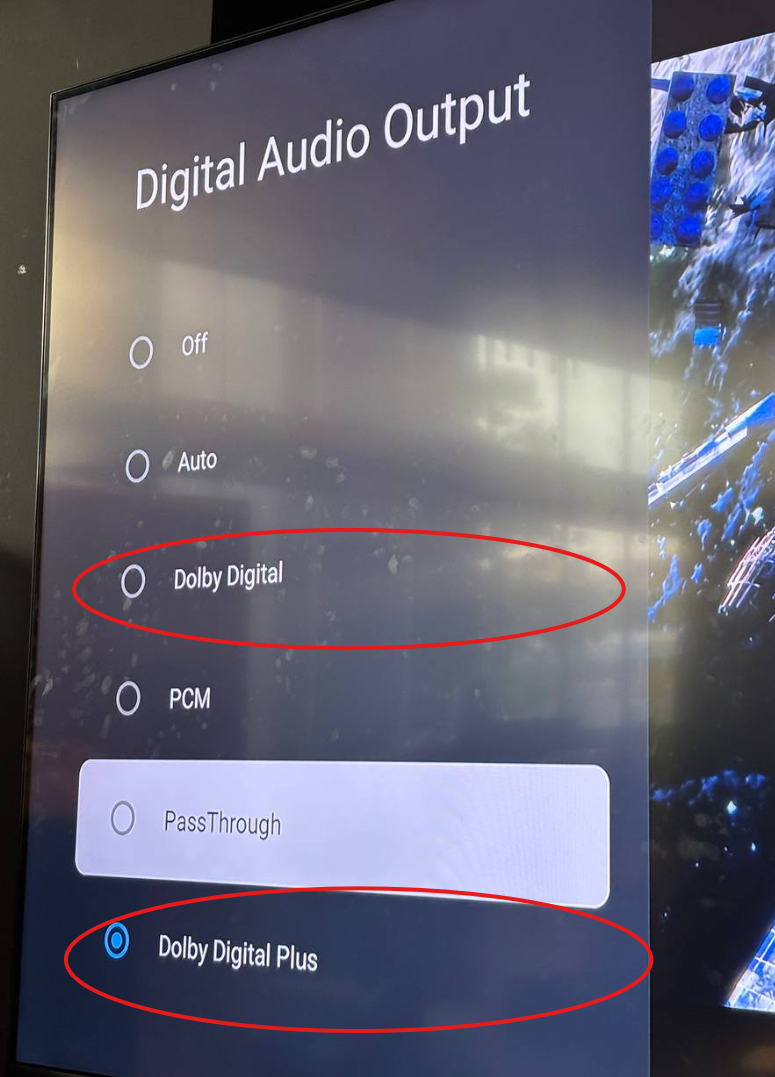
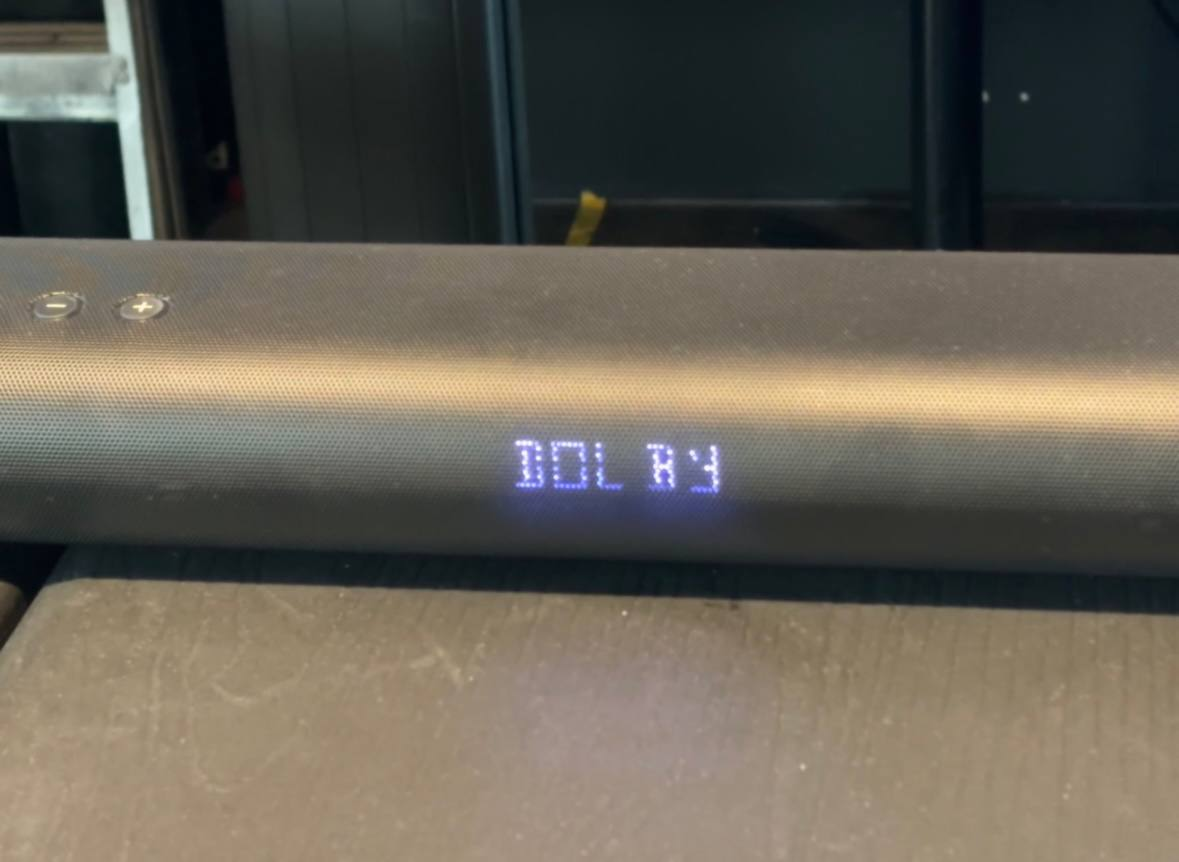
What You Should See: Now you should have Dolby Atmos enabled. Once enabled, you’ll know it’s working if you see the words “Dolby Audio” appear for a few seconds when your video starts.
Was this faq helpful?
Your feedback helps us improve every faq.Didn't find your answer?
No problem — send us the details below and a specialist will reply by email. Avg. response under 4 hours during business hours.